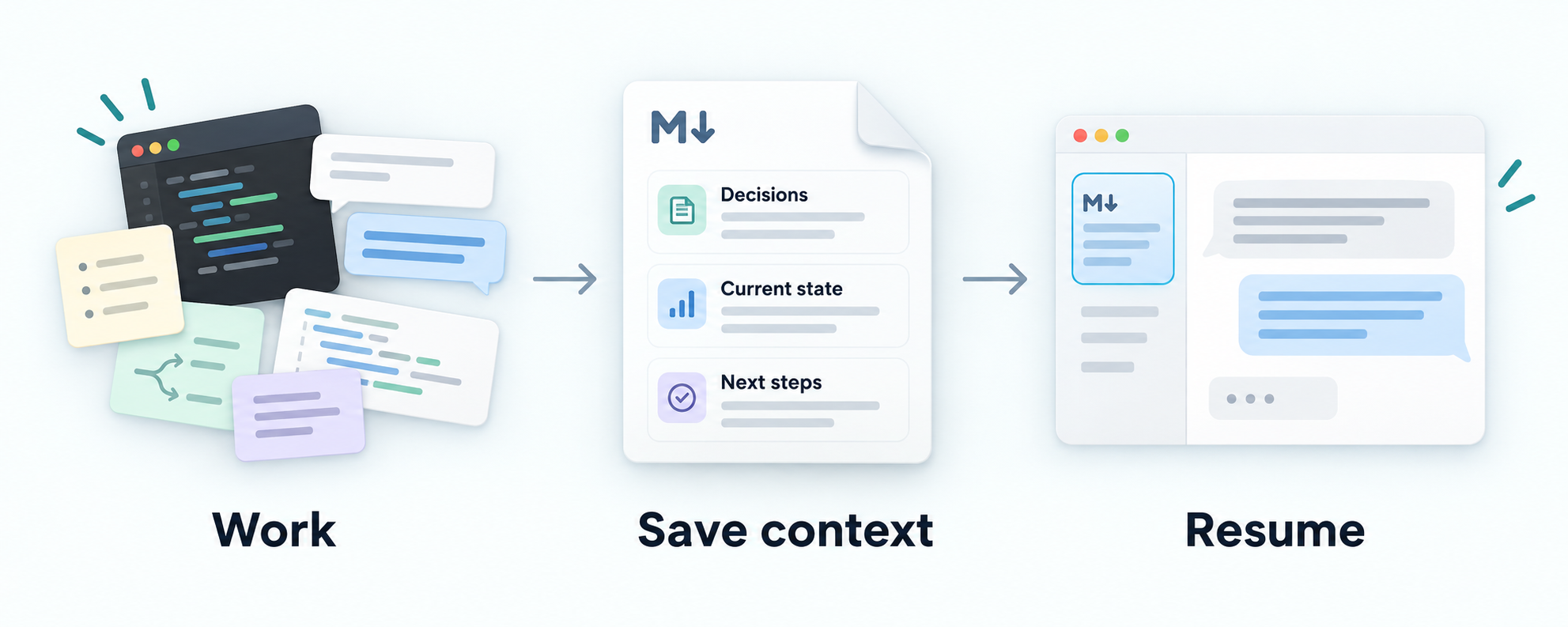
Give your AI coding agent a simple way to save decisions, current work and next steps in Markdown. Pick up the project without inventing a context-management system.
Your files. Your repository. A workflow you can review.
A small habit for continuity: work, save what matters, then read it next time.
THE WORKFLOW
Keep the useful parts of the work you already do.
Context Docs is a pair of reusable instruction skills for your agent. You stay in your project, with documents you can read and edit.
01
Set it up once
The adoption skill uses your existing docs and adds or reuses a maintenance rule in project instructions.
02
Save what changed
After meaningful work, ask your agent to update the context. Review the diff: decisions, blockers and next steps should stay clear.
03
Give the next session a starting point
Ask the agent to read the saved context and the linked details relevant to its task. A file alone does not guarantee it will be read.
WHAT CHANGES
From scattered updates to a useful next step.
The timeout changed from 10 to 20 seconds in configuration. Deployment is unverified. The approved database choice and restore-test blocker still matter.
BEFOREcontext.md
# Example service context

The request timeout is 10 seconds.

Approved: keep SQLite for the pilot to avoid migration work (owner, September 1).
Proposed: evaluate PostgreSQL after the pilot.

September 2: still using SQLite.
September 3: confirmed that SQLite remains in use.

Restore testing is blocked on a representative synthetic dataset.
Next: prepare that dataset and run the restore procedure.
An old value and repeated diary entries obscure what matters.
AFTERThe same context.md
# Example service context

## Current state

As of September 26, the configured request timeout is 20 seconds
(`config/service.yaml`). Deployment of this change is unverified.

## Decisions

Approved: keep SQLite for the pilot to avoid migration work
(owner, September 1). Proposed: evaluate PostgreSQL after the pilot.

## Open work

Restore testing is blocked on a representative synthetic dataset.
Next: prepare that dataset and run the restore procedure.
The updated fact, its limits, the decision and the blocker stay together.
Synthetic illustration, not an evaluation result or a promise of token savings. Read the source example ↗
CONTEXT WITH BOUNDARIES
Useful to the next reader. Appropriate for the project.
Keep it focused
The skill asks your agent to replace stale facts, consolidate repetition and link to detailed evidence. It does not need a transcript of every session.
Respect the destination
Public project docs, restricted team notes and local working state have different readers. The guidance helps the agent choose what belongs where.
Keep control
You review ordinary Markdown changes. There is no background sync or automatic publishing. Optional event logging is separate from current context.
GET STARTED
One setup. Your usual workflow.
Install the two sibling skills, then open the project whose context you want to maintain.
Use $skill-installer to install both skills from jaredchu/context-docs:
- skills/context-docs
- skills/adopt-context-docs
Install them together in ~/.agents/skills/.
Preserve existing installations and local customizations; report version
mismatches before upgrading.
Then, inside your project$adopt-context-docs
Install in Claude Code
For a first installation, run in a terminal. Already installed? Read the upgrade guidance before copying files.
Then, open your project in Claude Code/adopt-context-docs
After meaningful work, ask:
Use context-docs to update this project's context from the work we just completed.
Review the resulting changes.
In the next session, ask:
Read this project's context entry point and its relevant linked documents,
then continue with the next task.
The context entry point is your project's starting document. Find its path in the README, documentation index, or the adoption marker'sEntry point: field.
EXPERIMENTAL
Useful guidance. Honest limits.
Context Docs guides an agent; it does not guarantee accuracy, privacy, smaller documents or lower token usage. Recorded studies do not yet establish effort savings for the intended users or a skill-specific correctness advantage.
Review consequential claims and what you share. Daily use and concrete feedback help us find what needs improving.